


R36S Handheld Retro Game Console
R36S Handheld Retro Game Console
🎄 Buy any 2 for A$159.98
✨ 21,000+ Retro Games in One Device
🎮 20+ Supported Emulators
🕹️ Dual Joysticks for Precision Control
🔋 Long-Lasting Battery
📱 3.5” IPS HD Screen (640×480)
🎒 Portable, Stylish & Durable Design
Couldn't load pickup availability

R36S Handheld Retro Game Console
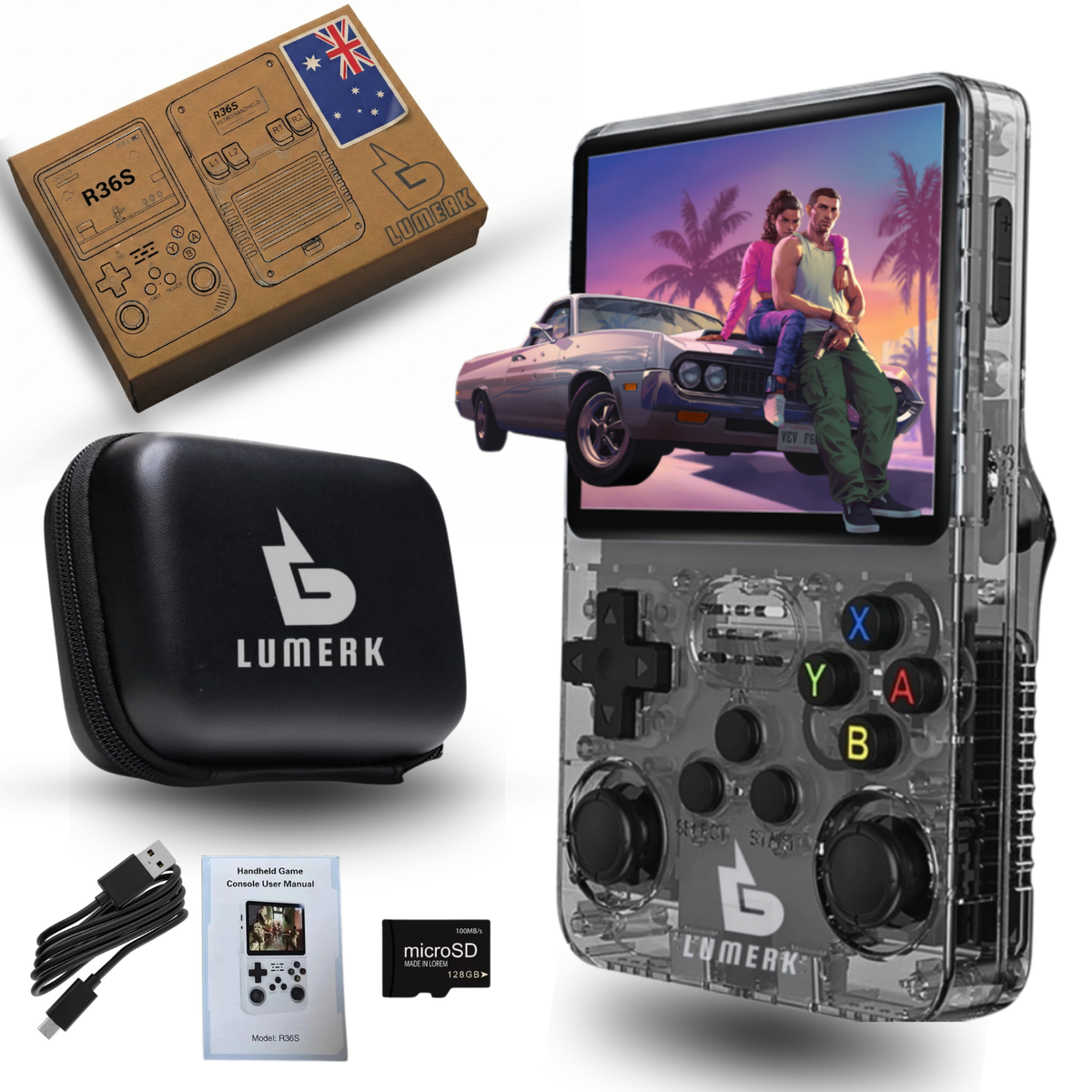
What’s inside the box?
What’s inside the box?
- 1× Lumerk R36S Retro Game Console
- 1x 128GB microSD Card (pre-loaded with games)
- 1× Protective Carrying Case
- 1× Type-C Charging Cable
- 1× User Manual
Tech Specs
Tech Specs
📱 Screen: 3.5” IPS HD (640×480) – bright & sharp visuals
🎮 Emulators: 20+ classic systems (PS1, Sega, NEO-GEO, Game Boy, etc.)
💾 Storage: 128GB card with 21,000+ games pre-loaded
⚡ Performance: Dual-chip system for smooth gameplay
🔋 Battery: Up to 6 hours playtime, fast USB-C charging
🔊 Audio: Stereo speakers + 3.5mm jack
Refund & Support
Refund & Support
✅ 30-Day Return Guarantee – If you’re not satisfied, you can return your console within 30 days for a full refund.
📧 Customer Support – Our team is here to help with any questions or setup guidance via email.
🔄 Hassle-Free Process – Easy returns with clear instructions and quick processing.


Why R36S by Lumerk?

Dual-Chip Not a Clone
A zippered hard-shell case is included to keep your R36S safe from scratches and bumps. Perfect for travel, school or the daily commute.
Dual-Chip Not a Clone
Genuine dual-chip board for smoother FPS and faster boot. Many cheap clones use a single chip and stutter.
Dual-Chip Not a Clone
A zippered hard-shell case is included to keep your R36S safe from scratches and bumps. Perfect for travel, school or the daily commute.
Protective Carry Case
A zippered hard-shell case is included to keep your R36S safe from scratches and bumps. Perfect for travel, school or the daily commute.
Premium IPS Display & Controls
3.5" IPS screen with vivid colors, plus a responsive D-Pad and analog sticks for classic games.
ArkOS Ready Out of the Box
Pre-configured ArkOS + RetroArch—power on and play with optimized cores and clean menus.
Premium IPS Display & Controls
3.5" IPS screen with vivid colors, plus a responsive D-Pad and analog sticks for classic games.
Premium IPS Display & Controls
3.5" IPS screen with vivid colors, plus a responsive D-Pad and analog sticks for classic games.


R36S Guide & FAQ
Is this the genuine R36S or a clone?
Is this the genuine R36S or a clone?
Many cheaper “R36S” clones use different internal parts, which can cause screen issues and stop official ArkOS updates from working. Lumerk’s R36S uses the original dual-chip design and is fully compatible with ArkOS.
Which systems can the R36S play?
Which systems can the R36S play?
The R36S runs 20+ emulators, including NES, SNES, Mega Drive, Game Boy Advance, Neo Geo, arcade (MAME, CPS1/2/3) and PlayStation 1. These run smoothly at full speed. Nintendo 64 and PSP are also supported: many lighter titles play well, while the most demanding games can slow down because of the handheld’s RK3326 processor.
What operating system does it use?
What operating system does it use?
It comes with ArkOS, a popular open-source system for retro handhelds, with RetroArch already set up. You can play straight out of the box with no setup. Saves, controls and display settings are all adjustable from the menu.
How do I add my own games?
How do I add my own games?
Turn the console off and insert the microSD card into your computer. Open the games partition, find the folder for the system you want (for example “gba” or “snes”), and copy your game files into it. Put the card back, power on, and the new games will appear in the menu. The included user manual covers each step.
How long does the battery last?
How long does the battery last?
The 3000mAh battery gives up to 5 hours of play, depending on screen brightness, volume and which system you’re playing. 8-bit and 16-bit games use the least power. A full charge takes about 2 hours through the USB-C port.
Can I connect headphones or a controller?
Can I connect headphones or a controller?
Yes. There’s a standard 3.5mm headphone jack, and the USB-C OTG port supports wired controllers and accessories. The built-in speaker is loud enough for playing on the go.
Where does it ship from?
Where does it ship from?
Every order ships from our warehouse in Australia, with tracking and a 30-day return policy.
Built for Effortless Retro Fun
Your R36S arrives pre-configured with ArkOS + RetroArch. We add a protective carry case and a pre-loaded system microSD for peace of mind plus local support and 30-day returns.